Azure Auth Series — Blog 2: Protected API with FastAPI#
In Blog 1, we signed users in with Microsoft Entra ID and called the Graph API directly from the browser. That works for reading Microsoft 365 data, but what about your own backend? How do you build an API that only authenticated users can access?
In this blog, we'll build a FastAPI backend that:
- 🔑 Validates JWT tokens from Microsoft Entra ID using JWKS (JSON Web Key Sets)
- 🎯 Exposes a custom API scope (
access_as_user) that the frontend requests - 📋 Protects CRUD endpoints for task management — create, read, update, delete
- 👤 Isolates data per user using the
oidclaim from the token - 🔗 Connects to the Next.js frontend we built in Blog 1
The frontend acquires an access token for your API (not the Graph API), sends it as a Bearer token, and the backend verifies the signature, audience, issuer, and expiry before processing the request.
The Azure Auth Series#
| Blog | Topic | What You'll Learn |
|---|---|---|
| 1. Basic Login | Frontend auth | Sign in with Microsoft Entra ID |
| 2. Protected API | You are here | Build a FastAPI backend that validates tokens |
| 3. RBAC | Authorization | Control access based on user roles |
| 4. Managed Identity | Zero secrets | Deploy to Azure without storing credentials |
| 5. Multi-Tenant | Organization support | Let users from any org sign in |
| 6. Service-to-Service | OBO + Client Credentials | Authenticate services to each other |
| 7. API Gateway | APIM | Centralize auth with Azure API Management |
What We're Building#
Architecture#
Browser (Next.js + MSAL)
   |
   |  1. User signs in (popup OAuth flow)
   |  2. Frontend acquires token with scope:
   |     api://<api-client-id>/access_as_user
   |
   |  Authorization: Bearer <jwt-token>
   v
FastAPI Backend
   |--- GET  /api/me          --> user profile from token claims
   |--- GET  /api/tasks       --> list tasks for this user
   |--- POST /api/tasks       --> create a task
   |--- PATCH /api/tasks/:id  --> toggle/update a task
   |--- DELETE /api/tasks/:id --> delete a task
   |
   |  3. Backend extracts Bearer token
   |  4. Downloads JWKS from Microsoft
   |  5. Verifies RS256 signature, audience, issuer, expiry
   |  6. Extracts user claims (oid, name, email)
   v
Microsoft Entra ID (JWKS endpoint)
   https://login.microsoftonline.com/{tenant}/discovery/v2.0/keys
What Changed from Blog 1#
| Blog 1 | Blog 2 |
|---|---|
| Frontend calls Graph API directly | Frontend calls your own FastAPI backend |
Token scope: User.Read | Token scope: api://{id}/access_as_user |
| No backend | FastAPI with JWT validation |
Profile from Microsoft Graph /me | Profile from token claims |
| Read-only | Full CRUD (task management) |
Live Demo#
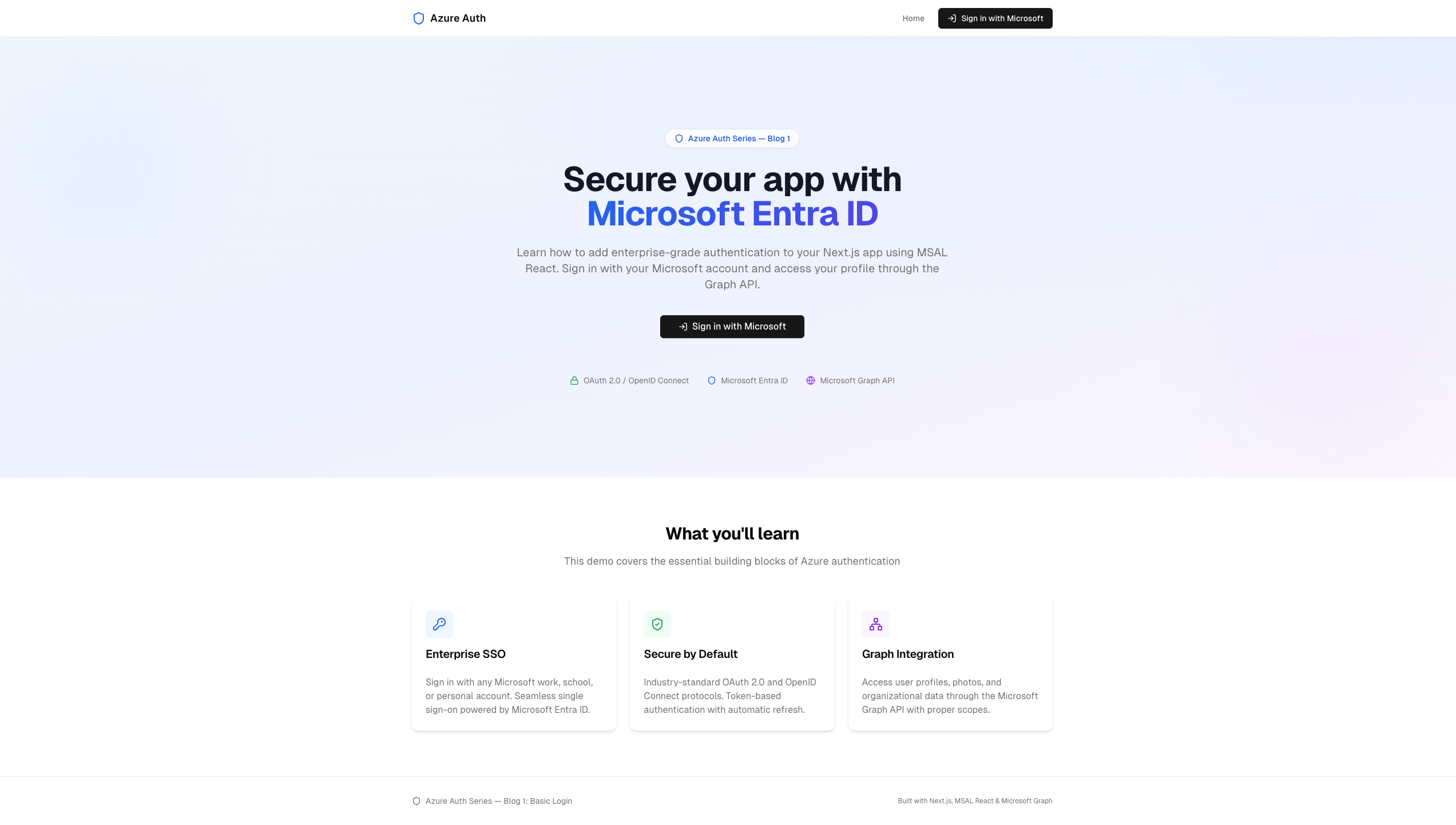 Same polished landing page from Blog 1 — the frontend authenticates identically
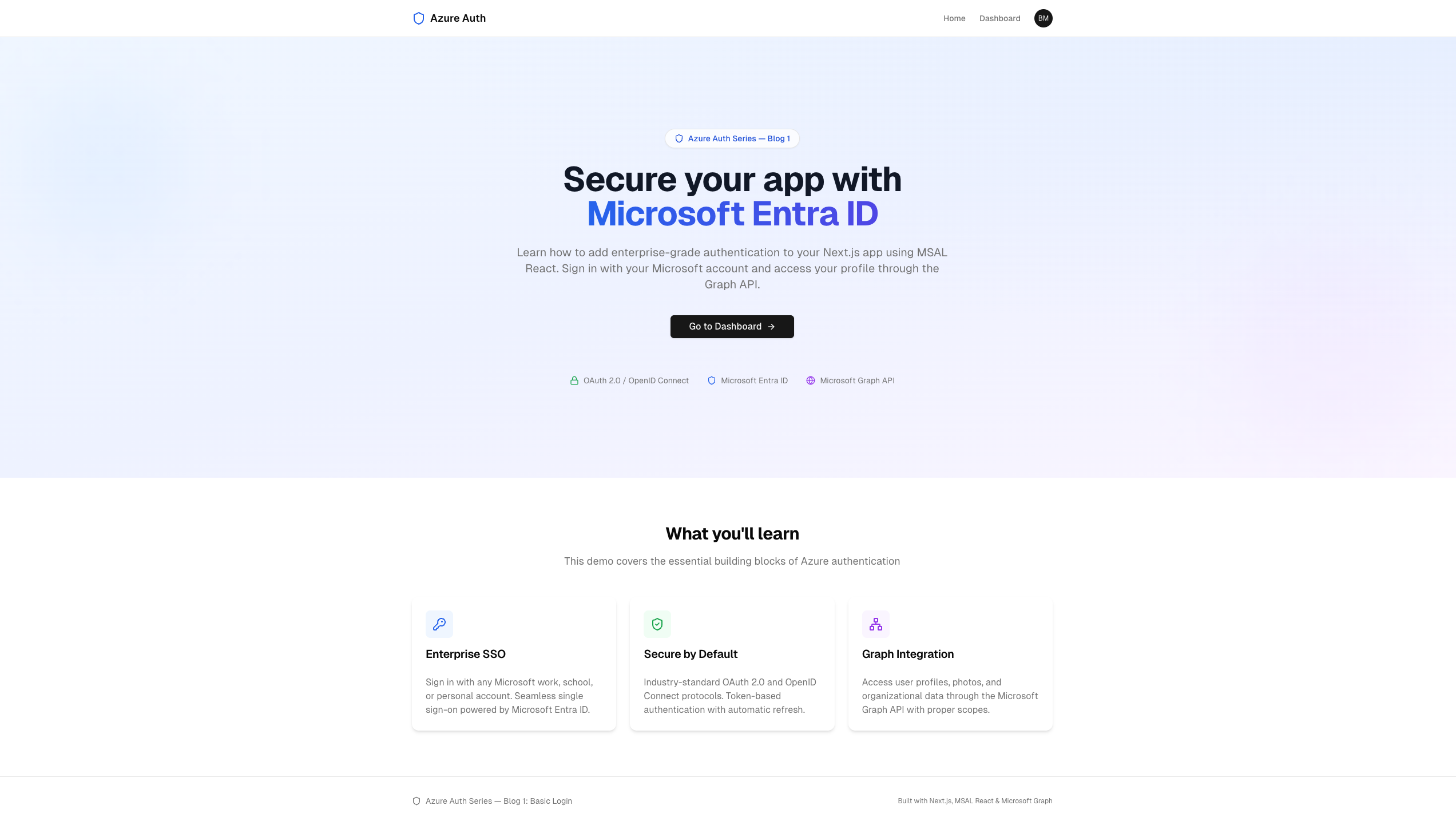 After sign-in, the CTA changes to "Go to Dashboard" and the avatar appears in the navbar
Key Concepts#
Two App Registrations#
In Blog 1 we had one app registration (the SPA frontend). Now we need two:
| Registration | Purpose | Type |
|---|---|---|
| API app | Represents the FastAPI backend. Exposes a custom scope. | Web API |
| SPA app | Represents the Next.js frontend. Requests the API scope. | Single-page app |
This separation is important: the frontend and backend are different applications with different client IDs. The frontend asks Entra ID for a token scoped to the API, and the backend verifies that the token was issued for it.
Custom API Scopes#
Instead of requesting User.Read (a Microsoft Graph scope), the frontend now requests a custom scope we define:
api://<api-client-id>/access_as_user
This tells Entra ID: "I want a token that lets me access this specific API on behalf of the signed-in user." The backend then checks the token's audience claim matches its own client ID.
JWT Validation with JWKS#
The backend doesn't call Microsoft to validate each request. Instead:
- It downloads the JSON Web Key Set (JWKS) from Microsoft once
- Uses the public RSA keys to verify the token's signature locally
- Checks the audience (is this token meant for my API?)
- Checks the issuer (did Microsoft issue this?)
- Checks the expiry (is this token still valid?)
This is fast, stateless, and scalable — no per-request calls to Entra ID.
Step 1: Register Both Apps in Azure#
The setup script creates both registrations with a single command:
az login ./setup.sh # defaults: "Blog2-API" + "Blog2-Frontend" ./setup.sh MyAPI MyFrontend # or pass custom names
What the Script Does#
#!/usr/bin/env bash set -euo pipefail API_APP_NAME="${1:-Blog2-API}" SPA_APP_NAME="${2:-Blog2-Frontend}" REDIRECT_URI="http://localhost:3000" SCOPE_NAME="access_as_user" GRAPH_API="00000003-0000-0000-c000-000000000000" USER_READ="e1fe6dd8-ba31-4d61-89e7-88639da4683d" TENANT_ID=$(az account show --query tenantId --output tsv) # ── 1. API app registration ──────────────────────── echo "==> Creating API app registration: $API_APP_NAME" API_APP_ID=$(az ad app create \ --display-name "$API_APP_NAME" \ --query appId --output tsv) az ad sp create --id "$API_APP_ID" --output none # Set the identifier URI (this becomes the audience) az ad app update --id "$API_APP_ID" \ --identifier-uris "api://$API_APP_ID" # Expose a custom scope SCOPE_ID=$(uuidgen | tr '[:upper:]' '[:lower:]') az rest --method PATCH \ --uri "https://graph.microsoft.com/v1.0/applications/$API_OBJ_ID" \ --headers "Content-Type=application/json" \ --body "{ \"api\": { \"oauth2PermissionScopes\": [{ \"adminConsentDescription\": \"Access API on behalf of user\", \"adminConsentDisplayName\": \"Access API as user\", \"id\": \"$SCOPE_ID\", \"isEnabled\": true, \"type\": \"User\", \"value\": \"$SCOPE_NAME\" }] } }" # ── 2. SPA frontend app registration ─────────────── SPA_APP_ID=$(az ad app create \ --display-name "$SPA_APP_NAME" \ --required-resource-accesses "[ { \"resourceAppId\": \"$GRAPH_API\", \"resourceAccess\": [{ \"id\": \"$USER_READ\", \"type\": \"Scope\" }] }, { \"resourceAppId\": \"$API_APP_ID\", \"resourceAccess\": [{ \"id\": \"$SCOPE_ID\", \"type\": \"Scope\" }] } ]" \ --query appId --output tsv) # Set SPA redirect URI az rest --method PATCH \ --uri "https://graph.microsoft.com/v1.0/applications/$SPA_OBJ_ID" \ --body "{\"spa\":{\"redirectUris\":[\"$REDIRECT_URI\"]}}" # ── 3. Write env files ───────────────────────────── cat > backend/.env <<EOF AZURE_TENANT_ID=$TENANT_ID AZURE_API_CLIENT_ID=$API_APP_ID EOF cat > frontend/.env.local <<EOF NEXT_PUBLIC_AZURE_CLIENT_ID=$SPA_APP_ID NEXT_PUBLIC_AZURE_TENANT_ID=$TENANT_ID NEXT_PUBLIC_API_SCOPE=api://$API_APP_ID/$SCOPE_NAME NEXT_PUBLIC_API_URL=http://localhost:8000 EOF
Three key things happen:
- API app gets an identifier URI (
api://{clientId}) and exposes theaccess_as_userscope - SPA app is granted permission to request both
User.Read(Graph) andaccess_as_user(our API) - Environment files are written for both backend and frontend
Step 2: Project Structure#
02_protected_api/
├── setup.sh                     # Creates both Azure AD app registrations
├── cleanup.sh                   # Removes both registrations
├── backend/
│   ├── main.py                  # FastAPI app with protected endpoints
│   ├── auth.py                  # JWT validation with JWKS
│   ├── config.py                # Environment configuration
│   ├── requirements.txt         # Python dependencies
│   └── .env.example
└── frontend/
    ├── src/
    │   ├── config/
    │   │   └── auth-config.ts   # MSAL config + API scope (CHANGED)
    │   ├── hooks/
    │   │   └── use-api.ts       # Token acquisition + API calls (NEW)
    │   ├── lib/
    │   │   └── api.ts           # Typed API client with authFetch (NEW)
    │   └── app/
    │       └── dashboard/
    │           └── page.tsx     # Dashboard with task management (CHANGED)
    └── .env.local.example
Files marked (NEW) or (CHANGED) are what's different from Blog 1. The auth components (msal-provider.tsx, login-button.tsx, etc.) are identical.
Step 3: The FastAPI Backend#
Configuration#
File: backend/config.py
import os from dotenv import load_dotenv load_dotenv() TENANT_ID = os.getenv("AZURE_TENANT_ID", "") API_CLIENT_ID = os.getenv("AZURE_API_CLIENT_ID", "") AUDIENCE = f"api://{API_CLIENT_ID}" AUTHORITY = f"https://login.microsoftonline.com/{TENANT_ID}" JWKS_URI = f"{AUTHORITY}/discovery/v2.0/keys" ISSUER = f"https://sts.windows.net/{TENANT_ID}/"
| Variable | Value | Purpose |
|---|---|---|
AUDIENCE | api://{clientId} | Must match the token's aud claim |
JWKS_URI | login.microsoftonline.com/{tenant}/discovery/v2.0/keys | Public keys for signature verification |
ISSUER | https://sts.windows.net/{tenant}/ | Must match the token's iss claim |
JWT Token Validation#
This is the core of the backend — the function that validates every incoming request.
File: backend/auth.py
from fastapi import Depends, HTTPException, status from fastapi.security import HTTPAuthorizationCredentials, HTTPBearer from jose import jwt, JWTError import httpx from config import AUDIENCE, JWKS_URI, ISSUER security = HTTPBearer() # Cache JWKS keys in memory _jwks_cache: dict | None = None async def _get_jwks() -> dict: """Fetch and cache the JSON Web Key Set from Microsoft.""" global _jwks_cache if _jwks_cache is None: async with httpx.AsyncClient() as client: resp = await client.get(JWKS_URI) resp.raise_for_status() _jwks_cache = resp.json() return _jwks_cache def _find_rsa_key(jwks: dict, kid: str) -> dict | None: """Find the signing key matching the token's kid header.""" for key in jwks.get("keys", []): if key["kid"] == kid: return { "kty": key["kty"], "kid": key["kid"], "use": key["use"], "n": key["n"], "e": key["e"], } return None async def validate_token( credentials: HTTPAuthorizationCredentials = Depends(security), ) -> dict: """Validate the Bearer token and return the decoded claims.""" token = credentials.credentials try: unverified_header = jwt.get_unverified_header(token) except JWTError: raise HTTPException( status_code=status.HTTP_401_UNAUTHORIZED, detail="Invalid token header", ) jwks = await _get_jwks() rsa_key = _find_rsa_key(jwks, unverified_header.get("kid", "")) if rsa_key is None: # Key not found — clear cache and retry once (key rotation) global _jwks_cache _jwks_cache = None jwks = await _get_jwks() rsa_key = _find_rsa_key(jwks, unverified_header.get("kid", "")) if rsa_key is None: raise HTTPException( status_code=status.HTTP_401_UNAUTHORIZED, detail="Unable to find signing key", ) try: claims = jwt.decode( token, rsa_key, algorithms=["RS256"], audience=AUDIENCE, issuer=ISSUER, ) except jwt.ExpiredSignatureError: raise HTTPException( status_code=status.HTTP_401_UNAUTHORIZED, detail="Token has expired", ) except JWTError as e: raise HTTPException( status_code=status.HTTP_401_UNAUTHORIZED, detail=f"Token validation failed: {str(e)}", ) return claims
The validation flow step by step:
Incoming request with Authorization: Bearer <token>
        |
        v
1. Extract token from header (HTTPBearer)
        |
        v
2. Read unverified header to get 'kid' (key ID)
        |
        v
3. Fetch JWKS from Microsoft (cached in memory)
        |
        v
4. Find the RSA key matching the kid
   |                          |
   v                          v
   Found                   Not found
   |                          |
   v                          v
5. jwt.decode()         Clear cache, retry
   - RS256 algorithm    (handles key rotation)
   - Check audience
   - Check issuer
   - Check expiry
        |
        v
6. Return decoded claims (oid, name, email, scp, etc.)
Why JWKS caching matters: Microsoft's JWKS endpoint returns 3-4 signing keys. We cache them in memory after the first fetch. If a token arrives with an unknown kid (key ID), we clear the cache and re-fetch — this handles key rotation gracefully without downtime.
Protected Endpoints#
File: backend/main.py
from fastapi import FastAPI, Depends from fastapi.middleware.cors import CORSMiddleware from auth import validate_token app = FastAPI(title="Blog 2 — Protected API") app.add_middleware( CORSMiddleware, allow_origins=["http://localhost:3000"], allow_credentials=True, allow_methods=["*"], allow_headers=["*"], ) # In-memory task store (keyed by user ID) tasks_db: dict[str, list[dict]] = {} @app.get("/api/me") async def get_me(claims: dict = Depends(validate_token)): """Return the authenticated user's profile from token claims.""" return { "id": claims.get("oid", ""), "name": claims.get("name", ""), "email": claims.get("preferred_username", ""), "tenant_id": claims.get("tid", ""), "scopes": claims.get("scp", ""), } @app.get("/api/tasks") async def get_tasks(claims: dict = Depends(validate_token)): """Get all tasks for the authenticated user.""" user_id = claims.get("oid", "") return tasks_db.get(user_id, []) @app.post("/api/tasks") async def create_task(task: dict, claims: dict = Depends(validate_token)): """Create a new task for the authenticated user.""" user_id = claims.get("oid", "") if user_id not in tasks_db: tasks_db[user_id] = [] new_task = { "id": len(tasks_db[user_id]) + 1, "title": task.get("title", ""), "completed": False, } tasks_db[user_id].append(new_task) return new_task @app.patch("/api/tasks/{task_id}") async def update_task( task_id: int, updates: dict, claims: dict = Depends(validate_token) ): """Toggle or update a task for the authenticated user.""" user_id = claims.get("oid", "") user_tasks = tasks_db.get(user_id, []) for task in user_tasks: if task["id"] == task_id: if "completed" in updates: task["completed"] = updates["completed"] if "title" in updates: task["title"] = updates["title"] return task return {"error": "Task not found"} @app.delete("/api/tasks/{task_id}") async def delete_task(task_id: int, claims: dict = Depends(validate_token)): """Delete a task for the authenticated user.""" user_id = claims.get("oid", "") user_tasks = tasks_db.get(user_id, []) tasks_db[user_id] = [t for t in user_tasks if t["id"] != task_id] return {"status": "deleted"}
Every endpoint uses Depends(validate_token) — FastAPI's dependency injection runs the JWT validation before the endpoint function executes. If validation fails, the endpoint never runs and the user gets a 401.
Per-user data isolation: Tasks are keyed by the oid claim (the user's Object ID in Entra ID). User A can never see or modify User B's tasks — the token determines identity, and the backend enforces isolation.
Backend Dependencies#
fastapi==0.115.0
uvicorn[standard]==0.30.6
python-jose[cryptography]==3.3.0
httpx==0.27.2
python-dotenv==1.0.1
| Package | Purpose |
|---|---|
fastapi | Web framework with dependency injection |
uvicorn | ASGI server |
python-jose[cryptography] | JWT decoding and RS256 signature verification |
httpx | Async HTTP client for fetching JWKS |
python-dotenv | Load .env files |
Step 4: Frontend Changes#
The frontend structure is mostly identical to Blog 1. Three things change:
4a. Auth Config — New API Scope#
File: frontend/src/config/auth-config.ts
import { Configuration, LogLevel } from "@azure/msal-browser"; export const msalConfig: Configuration = { auth: { clientId: process.env.NEXT_PUBLIC_AZURE_CLIENT_ID || "", authority: `https://login.microsoftonline.com/${ process.env.NEXT_PUBLIC_AZURE_TENANT_ID || "common" }`, redirectUri: "/", postLogoutRedirectUri: "/", navigateToLoginRequestUrl: false, }, cache: { cacheLocation: "sessionStorage", storeAuthStateInCookie: false, }, // ... logger config same as Blog 1 }; // NEW: Scopes for our own protected API export const apiLoginRequest = { scopes: [process.env.NEXT_PUBLIC_API_SCOPE || ""], }; // Scopes for Microsoft Graph (profile photo) export const graphLoginRequest = { scopes: ["User.Read"], }; // NEW: API base URL export const apiConfig = { baseUrl: process.env.NEXT_PUBLIC_API_URL || "http://localhost:8000", };
The key change: instead of a single loginRequest with User.Read, we now have two scope sets — one for our API (api://{id}/access_as_user) and one for Graph. The frontend requests different tokens depending on which API it's calling.
4b. API Client — Typed HTTP Client#
File: frontend/src/lib/api.ts
import { apiConfig } from "@/config/auth-config"; const BASE = apiConfig.baseUrl; async function authFetch(path: string, token: string, options?: RequestInit) { const res = await fetch(`${BASE}${path}`, { ...options, headers: { Authorization: `Bearer ${token}`, "Content-Type": "application/json", ...options?.headers, }, }); if (!res.ok) { const detail = await res.text(); throw new Error(`API error ${res.status}: ${detail}`); } return res.json(); } export interface UserProfile { id: string; name: string; email: string; tenant_id: string; scopes: string; } export interface Task { id: number; title: string; completed: boolean; } export async function getMe(token: string): Promise<UserProfile> { return authFetch("/api/me", token); } export async function getTasks(token: string): Promise<Task[]> { return authFetch("/api/tasks", token); } export async function createTask( token: string, title: string ): Promise<Task> { return authFetch("/api/tasks", token, { method: "POST", body: JSON.stringify({ title }), }); } export async function updateTask( token: string, taskId: number, updates: Partial<Task> ): Promise<Task> { return authFetch(`/api/tasks/${taskId}`, token, { method: "PATCH", body: JSON.stringify(updates), }); } export async function deleteTask( token: string, taskId: number ): Promise<void> { return authFetch(`/api/tasks/${taskId}`, token, { method: "DELETE", }); }
The authFetch wrapper attaches the Bearer token to every request. Each exported function maps to a backend endpoint with proper TypeScript types.
4c. The useApi Hook — Token + CRUD Operations#
File: frontend/src/hooks/use-api.ts
"use client"; import { useState, useEffect, useCallback } from "react"; import { useMsal } from "@azure/msal-react"; import { InteractionRequiredAuthError } from "@azure/msal-browser"; import { apiLoginRequest } from "@/config/auth-config"; import { getMe, getTasks, createTask, updateTask, deleteTask, UserProfile, Task, } from "@/lib/api"; export function useApi() { const { instance, accounts } = useMsal(); const [profile, setProfile] = useState<UserProfile | null>(null); const [tasks, setTasks] = useState<Task[]>([]); const [loading, setLoading] = useState(true); const [error, setError] = useState<string | null>(null); // Reusable token acquisition const getToken = useCallback(async (): Promise<string> => { try { const response = await instance.acquireTokenSilent({ ...apiLoginRequest, account: accounts[0], }); return response.accessToken; } catch (silentError) { if (silentError instanceof InteractionRequiredAuthError) { const response = await instance.acquireTokenPopup(apiLoginRequest); return response.accessToken; } throw silentError; } }, [instance, accounts]); // Initial data fetch const fetchData = useCallback(async () => { if (accounts.length === 0) { setLoading(false); return; } setLoading(true); setError(null); try { const token = await getToken(); const [profileData, tasksData] = await Promise.all([ getMe(token), getTasks(token), ]); setProfile(profileData); setTasks(tasksData); } catch (err) { setError( err instanceof Error ? err.message : "Failed to fetch data" ); } finally { setLoading(false); } }, [accounts, getToken]); useEffect(() => { fetchData(); }, [fetchData]); // CRUD operations const addTask = useCallback(async (title: string) => { const token = await getToken(); const task = await createTask(token, title); setTasks((prev) => [...prev, task]); }, [getToken]); const toggleTask = useCallback(async (taskId: number, completed: boolean) => { const token = await getToken(); const updated = await updateTask(token, taskId, { completed }); setTasks((prev) => prev.map((t) => (t.id === taskId ? updated : t))); }, [getToken]); const removeTask = useCallback(async (taskId: number) => { const token = await getToken(); await deleteTask(token, taskId); setTasks((prev) => prev.filter((t) => t.id !== taskId)); }, [getToken]); return { profile, tasks, loading, error, refetch: fetchData, addTask, toggleTask, removeTask, }; }
Compared to Blog 1's useGraph hook:
Blog 1: useGraph | Blog 2: useApi |
|---|---|
Requests User.Read scope | Requests api://{id}/access_as_user scope |
| Calls Microsoft Graph API | Calls our FastAPI backend |
| Read-only (profile + photo) | Full CRUD (profile + tasks) |
Single fetchData function | getToken extracted for reuse by CRUD operations |
The getToken function is extracted as a reusable callback because every CRUD operation needs a fresh token. The same silent-first-then-popup pattern from Blog 1 applies.
Step 5: The Complete Token Flow#
Let's trace what happens when the frontend calls GET /api/tasks:
 Frontend                 MSAL              Entra ID         FastAPI Backend
    |                       |                   |                   |
    |-- acquireTokenSilent -|                   |                   |
    |   scope: api://{id}/  |                   |                   |
    |   access_as_user      |                   |                   |
    |                       |-- Check cache ----|                   |
    |                       |<- Cached token ---|                   |
    |<-- Access token ------|                   |                   |
    |                       |                   |                   |
    |-- GET /api/tasks -------------------------------------------->|
    |   Authorization:      |                   |                   |
    |   Bearer <token>      |                   |                   |
    |                       |                   |                   |
    |                       |                   |       Extract kid from header
    |                       |                   |       Fetch JWKS (cached)
    |                       |                   |       Find RSA key by kid
    |                       |                   |       Verify signature (RS256)
    |                       |                   |       Check aud == api://{id}
    |                       |                   |       Check iss == sts.windows.net
    |                       |                   |       Check exp > now
    |                       |                   |       Extract oid claim
    |                       |                   |                   |
    |<-- [task1, task2] -------------------------------------------|
    |   (only this user's tasks)                |                   |
The critical point: the frontend requests a token with the API's scope, not Graph's. Entra ID returns a token whose aud (audience) claim is api://{api-client-id}. The backend verifies this audience matches its own client ID — if someone tries to use a Graph token, it gets rejected.
Step 6: Understanding JWT Claims#
When the backend decodes a valid token, it gets claims like this:
{ "aud": "api://9b28cc57-ebc1-48ae-ad72-cb603bf14200", "iss": "https://sts.windows.net/0f485f73-2bd0-4cb2-a8fc.../", "iat": 1740600000, "exp": 1740603600, "name": "Bui Minh Quan", "oid": "b1b0160f-5d3f-484e-beca-15f233b78356", "preferred_username": "quanbm2710@gmail.com", "scp": "access_as_user", "tid": "0f485f73-2bd0-4cb2-a8fc-6fa326c792fc", "ver": "1.0" }
| Claim | Meaning | How We Use It |
|---|---|---|
aud | Audience — who the token is for | Validated against api://{clientId} |
iss | Issuer — who created the token | Validated against sts.windows.net/{tenant} |
exp | Expiry timestamp | Automatically checked by jwt.decode() |
oid | User's Object ID (globally unique) | Key for per-user data isolation |
name | Display name | Shown in the profile card |
preferred_username | Email address | Shown in the profile card |
scp | Scopes granted | Shows access_as_user |
tid | Tenant ID | Identifies the organization |
Step 7: CORS Configuration#
The backend needs CORS middleware because the frontend (port 3000) and backend (port 8000) are different origins:
app.add_middleware( CORSMiddleware, allow_origins=["http://localhost:3000"], allow_credentials=True, allow_methods=["*"], allow_headers=["*"], )
Without this, the browser blocks the frontend's fetch requests to the backend. In production, replace localhost:3000 with your actual frontend domain.
Running the App#
1. Register the Apps#
az login ./setup.sh
2. Start the Backend#
cd backend python -m venv .venv && source .venv/bin/activate pip install -r requirements.txt uvicorn main:app --reload
Backend runs at http://localhost:8000. You can verify at http://localhost:8000/docs (FastAPI auto-generates Swagger UI).
3. Start the Frontend#
cd frontend npm install npm run dev
Frontend runs at http://localhost:3000.
4. Test the Flow#
- Open http://localhost:3000
- Click "Sign in with Microsoft"
- After login, navigate to Dashboard
- You should see your profile (from token claims, not Graph)
- Add, complete, and delete tasks — all via the protected API
Cleanup#
./cleanup.sh
Common Pitfalls#
1. "audience is invalid" Error#
The token's aud claim doesn't match your backend's expected audience.
Fix: Ensure AZURE_API_CLIENT_ID in backend/.env matches the API app registration's client ID (not the SPA's). The audience should be api://{API_CLIENT_ID}.
2. "issuer is invalid" Error#
The iss claim format varies between v1 and v2 tokens. v1 tokens use https://sts.windows.net/{tenant}/ while v2 tokens use https://login.microsoftonline.com/{tenant}/v2.0.
Fix: Check which version your token uses (look at the ver claim). Our setup uses v1 tokens, so the issuer is https://sts.windows.net/{tenant}/.
3. CORS Errors#
The browser blocks requests if the backend doesn't explicitly allow the frontend's origin.
Fix: Verify allow_origins in the CORS middleware includes http://localhost:3000 (exact match, no trailing slash).
4. "interaction_required" When Requesting API Scope#
The user hasn't consented to the API scope yet. This happens on first use.
Fix: MSAL's acquireTokenPopup fallback handles this automatically — the user will see a consent dialog asking to allow "Access API as user".
5. Token Has Wrong Scope#
If you request User.Read instead of your custom API scope, the token will be for Graph, not your API.
Fix: Make sure NEXT_PUBLIC_API_SCOPE in frontend/.env.local is set to api://{API_CLIENT_ID}/access_as_user.
What's Next#
In Blog 3: Role-Based Access Control (RBAC), we'll:
- Define App Roles in Azure (Admin, Editor, Viewer)
- Assign roles to users in the Azure Portal
- Check roles in both the backend (authorization middleware) and frontend (conditional UI)
- Build an admin panel that only Admin-role users can access
The JWT validation we built here is the foundation — RBAC adds a roles claim to the token that the backend checks before allowing access.
Conclusion#
You've built a complete frontend-to-backend authentication flow with Microsoft Entra ID:
- Two app registrations — separate identities for frontend and API
- Custom API scope —
access_as_userscoped specifically to your backend - JWT validation with JWKS — stateless, fast, handles key rotation
- Per-user data isolation — using the
oidclaim as the user key - CRUD operations — every endpoint protected by
Depends(validate_token) - Token flow — silent acquisition with popup fallback for both Graph and API scopes
The backend is intentionally simple (in-memory storage, no database) to keep the focus on authentication. In a real app, you'd swap tasks_db for a database — but the auth layer stays exactly the same.
Resources#
- Source Code: GitHub — azure_auth_series/02_protected_api
- Blog 1: Basic Login with Microsoft Entra ID
- python-jose Docs: python-jose
- FastAPI Security: FastAPI — OAuth2 with JWT
- Microsoft — Custom API Scopes: Expose a Web API
- JWKS Endpoint: Microsoft — OpenID Configuration
Happy building!